Usage metrics are a built-in set of metrics that show how your team uses Steep. Steep maintains them, so there's nothing for you to model or set up.
Usage metrics let you track:
- User engagement
- Usage of metrics and reports
- Query volume
- AI and MCP adoption
Admins only
Only admins can see usage metrics.
Find usage metrics
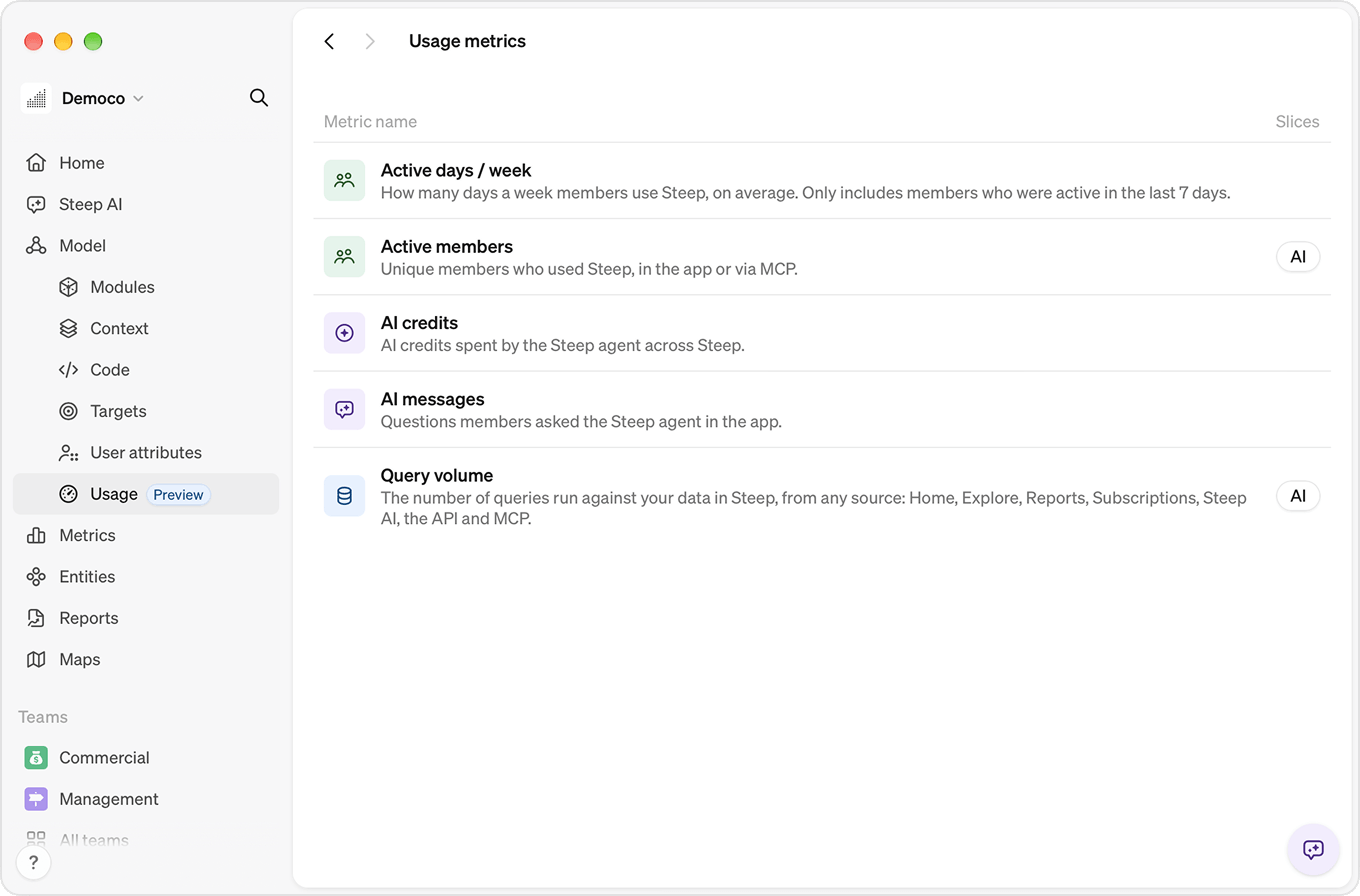
Go to Model > Usage in the menu. The page lists all usage metrics and their slices.
Usage metrics have their own icons and colors, so they don't get mixed up with the metrics in your model. For example, the Active members usage metric isn't the same as an "Active users" metric you may have defined yourself.
Pick a metric to open it in Explore. Each metric's full definition is on its About tab.
Metrics
Active members
Unique members who used Steep, in the app or via MCP.
How it's calculated
A member is active if at least one query ran on their behalf during the period. Pages in Steep run queries when they open, so viewing a report, the Home screen or a metric is enough.
MCP usage counts too, because members sign in to MCP with their own account. Members who only use Steep through MCP are included.
Each member counts once per period, however many queries they ran.
What's not included
- API keys: queries made with an API key aren't tied to a member.
- Report subscriptions: scheduled deliveries run without anyone opening Steep.
Active days / week
How many days a week members use Steep, on average. Only includes members who were active in the last 7 days.
How it's calculated
For each member active in a 7-day period, Steep counts the days they ran at least one query, from 1 to 7. The metric is the average across those members.
"Active" means the same as in Active members: MCP included, API and subscriptions excluded.
What's not included
Members who didn't use Steep that week are left out, not counted as 0. This makes the metric about how often your active members come back.
AI credits
AI credits spent by the Steep agent across Steep.
How it's calculated
The Steep agent spends credits whenever it does work, including answering questions in chat. A single question can use a different number of credits depending on how much work the agent does to answer it.
What's not included
MCP: MCP doesn't use the Steep agent. The AI runs in the member's own client, so no Steep AI credits are spent.
AI messages
Questions members asked in the Steep chat.
How it's calculated
Each message a member sends in the Steep chat counts once.
What's not included
- MCP: messages sent through MCP go to the member's own AI client, not the Steep agent.
- Steep agent replies: only messages sent by members count.
Good to know
Deleted chats still count, so past numbers don't change when someone cleans up their chat history.
Query volume
The number of queries run against your data in Steep, from any source: Home, Explore, reports, subscriptions, the Steep agent, the API and MCP.
How it's calculated
Every query Steep runs against your data counts once. A single page can run several queries when it opens.
Tip
To see where non-user queries come from, break Query volume down by User email and Request source or App location.
Explore usage metrics
Usage metrics work like any other metric in Explore. You can change the time period, switch chart type, add a breakdown, filter and compare.
Active members and Query volume have an AI slice that only counts usage of the Steep agent and MCP.
Read more about Explore.
Limitations
In the Steep app, usage metrics are only available in Explore. You can't add them to reports, Home or team screens, and the Steep agent can't read them yet.
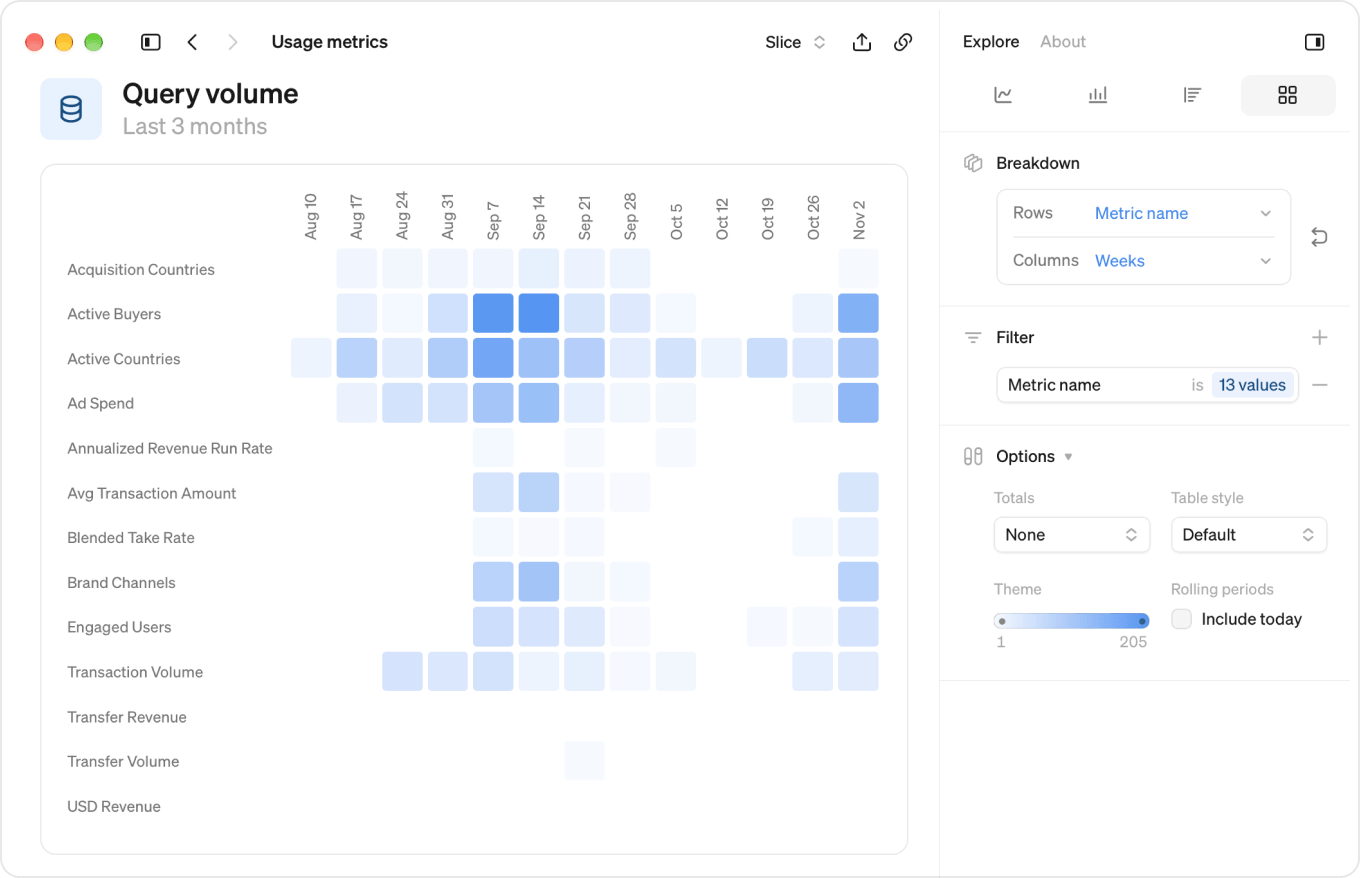
Breakdowns
| Breakdown | What it shows |
|---|---|
| User email | The member the usage belongs to |
| Team | The member's team |
| Request source | Where the request came from: Web, API, MCP or Steep agent |
| App location | Where in Steep the query ran, for example Home, Reports or Steep AI |
| Report title | The report the query ran from |
| Metric name | The metric the query ran for |
| Metric identifier | The metric's identifier |
| Entity name | The entity the query ran for |
| Entity identifier | The entity's identifier |
| Query source | Query volume only. Whether the result came from the cache or your database |
| Query type | Query volume only. The kind of query that ran |
Not every metric has every breakdown. Active members and Query volume have the full set.
App location values
| Value | Where the query ran |
|---|---|
| Home | The Home screen |
| Reports | A report |
| Metrics | A metric in Explore |
| Entities | An entity |
| Teams | A team screen |
| Steep AI | The Steep chat, wherever it's opened |
| Maps | A map |
| Other (API, MCP, etc) | Outside a page in the Steep app |
Labels you might see
Some usage doesn't belong to a specific member, report, metric or entity. Instead of dropping it, Steep groups it under its own label, so breakdowns always add up to the total.
| Label | Includes |
|---|---|
| (Non-user query) | Queries not tied to a member, such as API calls, scheduled subscriptions, and MCP queries from before October 27, 2026 |
| (Removed user) | Usage from members who have since been removed from the workspace |
| (Non-report query) | Queries from outside reports, such as Home or Explore |
| (Non-metric query) | Queries not tied to a single metric, such as entity queries |
| (Non-entity query) | Queries not tied to a single entity, such as metric and report queries |
Good to know
Steep has tracked MCP usage per member since October 27, 2026. MCP usage from before that date shows as (Non-user query).
Use usage metrics through the API and MCP
Admins can also list and query usage metrics from their own tools, for example to combine Steep usage with other data or build their own reports.
- MCP server: an agent signed in as an admin can list usage metrics and query their values.
- Steep API: give the API key the Read usage metrics and Query usage metric data scopes.